Objective
This article will give a very simple and basic explanation of, how to fetch an image using WCF REST service.
Step 1
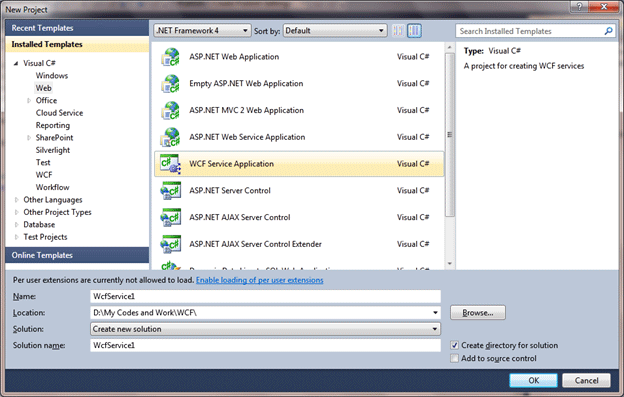
Create a WCF application. To create a new application File -> New -> Web-> WCF Service Application.
Step 2
Remove all the default code created by WCF. Remove code from IService 1 interface and Service1 class. Remove the code from Web.Config also. Open Web.Config and remove System.Servicemodel codes.
Step 3
Right click on Service1.svc select View markup and add below code

<%@ ServiceHost Language="C#" Debug="true" Service="FetchingImageinBrowser.Service1" CodeBehind="Service1.svc.cs" Factory="System.ServiceModel.Activation.WebServiceHostFactory" %>
Step 4
Create contract. Operation contract will return Stream. Stream is in the namespace System.IO. By putting WebGet attribute make operation contract
IService1.cs
using System;
using System.Collections.Generic;
using System.Linq;
using System.Runtime.Serialization;
using System.ServiceModel;
using System.ServiceModel.Web;
using System.Text;
using System.IO ;
namespace FetchingImageinBrowser
{
[ServiceContract]
public interface IService1
{
[OperationContract]
[WebGet(UriTemplate = "GetImage", RequestFormat = WebMessageFormat.Xml, ResponseFormat = WebMessageFormat.Xml, BodyStyle = WebMessageBodyStyle.Bare)]
Stream GetImage();
}
}
Step 5
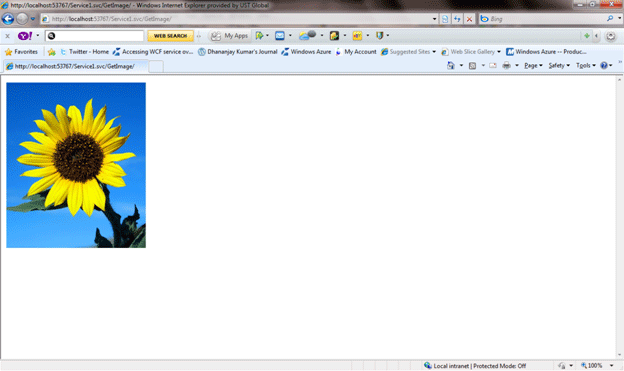

Implement service. In service class write the below code. Using FileStream open and read the image. Then set outgoing response as image/jpeg using WebOperationContext class.
Service1.svc.cs
using System;
using System.Collections.Generic;
using System.Linq;
using System.Runtime.Serialization;
using System.ServiceModel;
using System.ServiceModel.Web;
using System.Text;
using System.IO ;
namespace FetchingImageinBrowser
{
public class Service1 : IService1
{
public Stream GetImage()
{
FileStream fs = File.OpenRead(@"D:\a.jpg");
WebOperationContext.Current.OutgoingResponse.ContentType = "image/jpeg";
return fs;
}
}
}
Step 6
Press F5 to run the application. Append GetImage/ in URL to get the output.
See the URL

No comments:
Post a Comment