What We wanted in Studio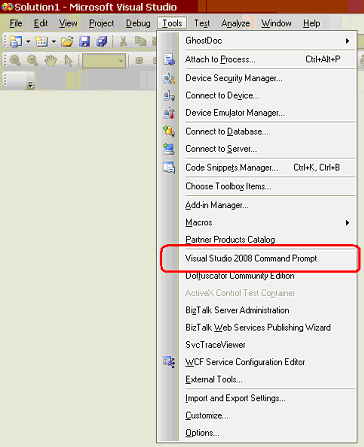
Steps:
- Open Visual Studio
- Go To "Menubar --> Tools --> External Tools"
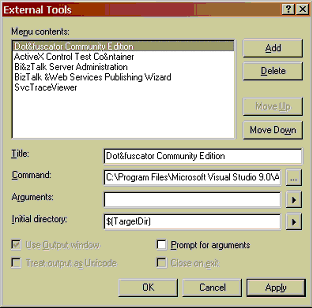
- Click "Add"
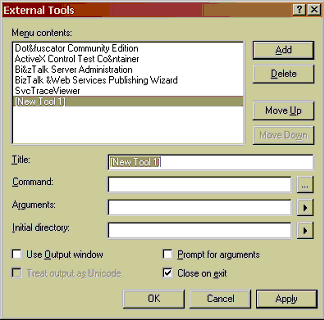
Title: Visual Studio 2008 Command Prompt
Command: cmd.exe
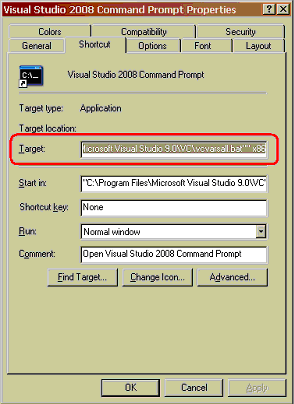
Arguments: %comspec% /k ""C:\Program Files\Microsoft Visual Studio 9.0\VC\vcvarsall.bat"" x86
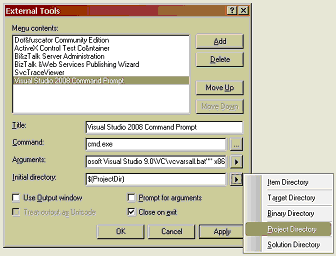
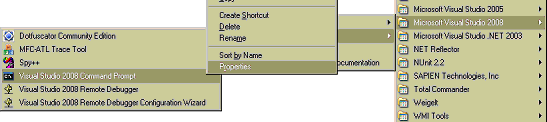
s of the shortcut to the Visual Studio Command Line just to be sure:

No comments:
Post a Comment